Best Free Online Tools in 2026: Complete Guide
Choosing the right tool for repetitive digital tasks saves time. This guide lists the best free online tools in 2026 by category.
Last updated:
PDF tools
PDF merging, splitting, compression, and conversion are the most frequently needed PDF operations. Smallpdf and iLovePDF are popular but have daily limits. PDF24 and Utilgo are unlimited and free.
Recommended tools: PDF merge, PDF split, PDF compress, PDF to Word, PDF protect/unlock.
Tip: Most online PDF tools upload your files to their servers. Prefer tools that process in the browser for privacy.
Image tools
Image compression, resizing, and format conversion are critical for web performance. TinyPNG offers quality compression but has free limits. Squoosh (Google) is open source and unlimited.
Recommended tools: Image compression (JPEG/PNG/WebP), image resizing, format conversion, background removal, favicon generator.
Tip: WebP format is 25-35% smaller than JPEG. Modern browsers support it.
Text and developer tools
Word counter, case converter, JSON formatter, Base64 encoding/decoding, and UUID generation are frequently used developer tools.
Recommended tools: Word counter, case converter, JSON formatter, Base64 encoder/decoder, UUID generator, timestamp converter.
Tip: Browser-based tools are faster and more private. Prefer tools that do not send data to servers.
QR code and security tools
QR code generation, password generation, and IBAN validation fall under security and business tools. QR codes are used from restaurant menus to business cards.
Recommended tools: QR code generator (URL, Wi-Fi, vCard), password generator, IBAN validator, percentage calculator.
Tip: When creating QR codes, choose high error correction level (30%) — this allows adding a logo to the code.
Utilgo: 150+ free tools in one platform
Utilgo offers PDF, image, text, calculator, developer, and web tools on one platform. Full translation in 9 languages, unlimited usage, no registration required.
All tools: utilgo.net
Try a real example file
This document was created for demonstration and contains no customer or employee data. Download the input and actual tool output to compare them.
Example checked on:
At 150 DPI this example did not get smaller: the output is slightly larger. An already compressed PDF may not shrink; compare size and readability.
Settings used in this run
- Quality
- 150 DPI
Checks on this example
- Input pages
- 1
- Output pages
- 1
- Input size (bytes)
- 112212
- Output size (bytes)
- 113843
- Rendered pages
- 1
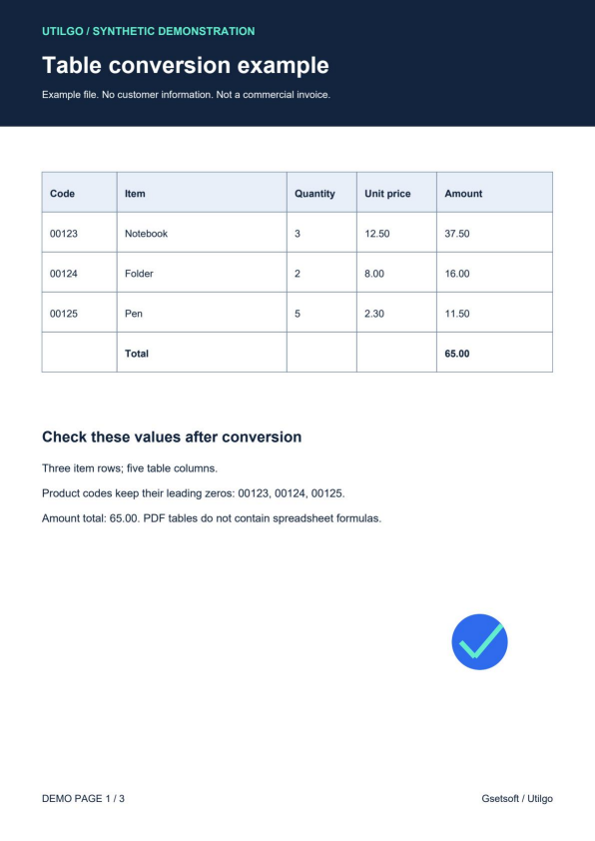
Only the example below was verified. Other files may produce different layouts or results; keep the original.
Related tools
Step-by-step usage guides
Practical articles on this topic
PDF Compression: Balancing File Size and Readability
A smaller PDF is useful only if it remains readable. Image-heavy and text-heavy documents compress differently.
Image Resizing Guide: Optimal Dimensions for Web and Social Media
Choosing the right image dimensions for websites, social media, and email affects both visual quality and page load speed.
Mobile Web Performance: Optimization and Best Practices
Mobile web performance involves different challenges than desktop performance.