Convert PDF to Word
ReadyTurn a PDF into a Word document. Choose editable text, tables and images, or preserve page appearance by placing each page into Word as an image.
All tools are free to use. File size and processing limits may vary by tool.
How to use PDF to Word
Convert PDF documents to editable Word files. This tool uploads your file for processing. Downloads expire after 60 minutes; scheduled cleanup deletes files. PDF to Word/Excel extracts text or tables, not the original layout. Scanned pages need OCR first. HTML conversion uses text only; scripts, images and CSS are not rendered.
Browser tools keep files on your device. Advanced document tools upload files for temporary server processing; the tool shows this before upload. Web lookups send queries to the server and public lookup services.
PDF to Word: appearance or editable content
Choose between two modes. The default appearance mode embeds PDF pages as images in Word, including visible shapes and tables; their parts cannot be edited separately. Editable mode attempts to transfer text, tables and images. Complex layouts may change.
Read the guide →Practical articles on this topic
Why Does the Layout Change When Converting PDF to Word?
A shifted heading or a changed table after conversion does not necessarily mean the PDF is damaged.
File Conversion Guide: PDF, Image, and Audio Formats
Converting between different file formats is a frequently needed operation in daily digital tasks.
Try a real example file
This document was created for demonstration and contains no customer or employee data. Download the input and actual tool output to compare them.
Example checked on:
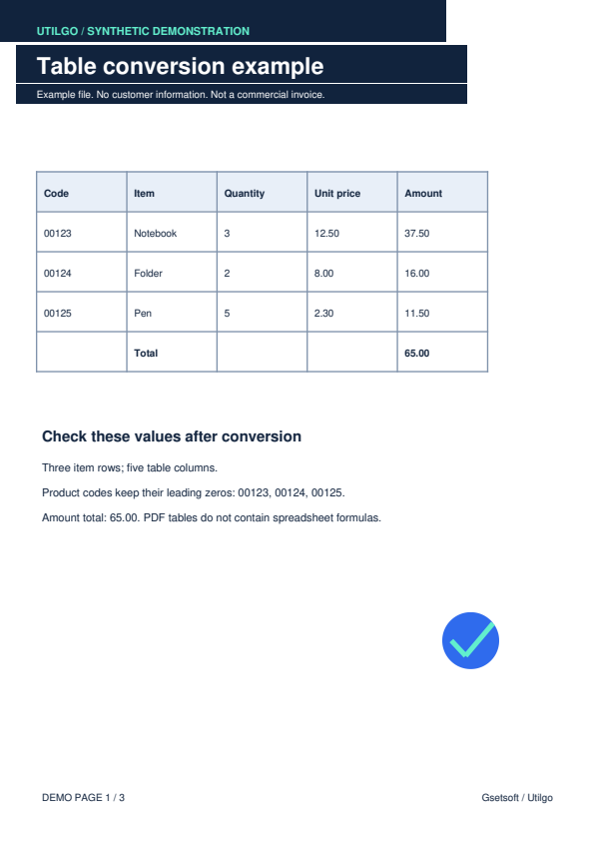
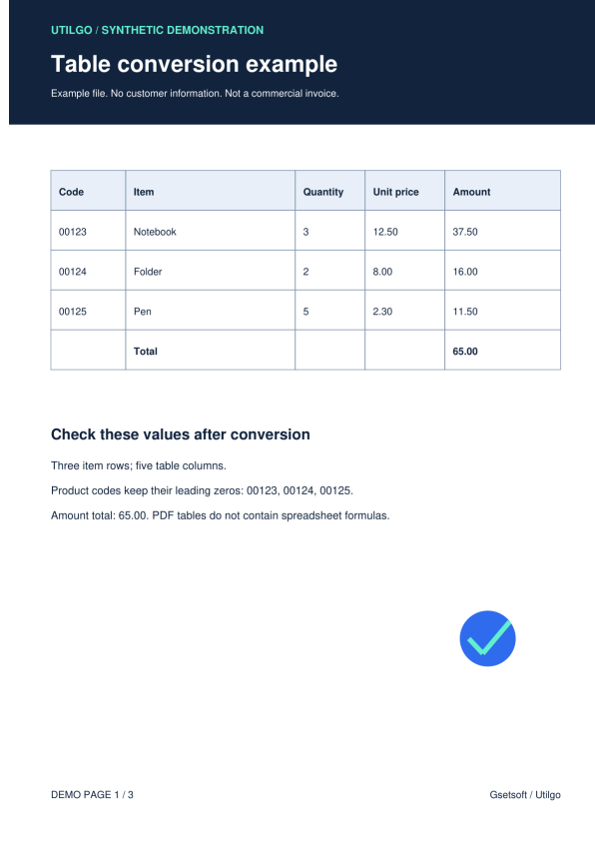
The editable example contains text and table elements, but its heading layout changed. Appearance mode embeds the page as an image with no separate text nodes. Compare both files for your purpose.
Editable Word
Settings used in this run
- Word mode
- Editable
Checks on this example
- Embedded images
- 1
- Checked code
- 00123
- Checked total
- 65.00
- Word table elements
- 4
- Rendered pages
- 1
Word preserving page appearance
Settings used in this run
- Word mode
- Preserve appearance
Checks on this example
- Embedded images
- 1
- Editable text nodes
- 0
- Rendered pages
- 1
Only the example below was verified. Other files may produce different layouts or results; keep the original.
Related tools
Compress PDF
Choose image quality to reduce the size of a PDF file. Compare the output for screen viewing or printing and check that small text remains readable.
Merge PDF
Combine multiple PDFs into a single file. Arrange reports and attachments, join the PDFs in your browser and download the result without uploading the files.
Split PDF
Separate a multipage PDF into individual one-page PDF files. Process the document in your browser and download a ZIP without uploading the source.
Word to PDF
Turn a Word document into a PDF file. Upload DOC or DOCX, then inspect fonts, page breaks and table alignment in the downloaded document.
PDF to JPG
Turn PDF pages into JPG images. Up to 30 pages and 12 megapixels per page are supported; a single page downloads as JPG, more as ZIP. Files are processed in this browser and never uploaded.
JPG to PDF
Combine JPG images into a single PDF document. JPEG only, up to 40 megapixels per image. Files are processed in this browser and never uploaded.