Why Does the Layout Change When Converting PDF to Word?
A shifted heading or a changed table after conversion does not necessarily mean the PDF is damaged. A PDF page and an editable Word document describe content differently. Choosing the right conversion mode reduces the corrections needed afterwards.
Last updated:
Choose the result you actually need
To insert a form into another Word document with its appearance intact, choose preserve-page-appearance mode. Each page becomes an image, so text and table cells cannot be edited separately. To change an address or an amount, try editable mode. Complex drawings, columns and line breaks may shift.
Compare both modes with a sample
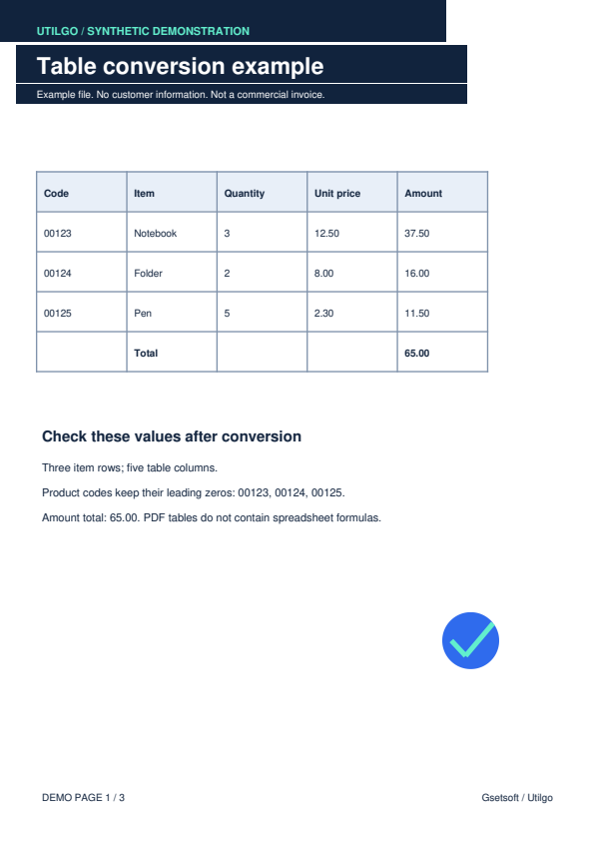
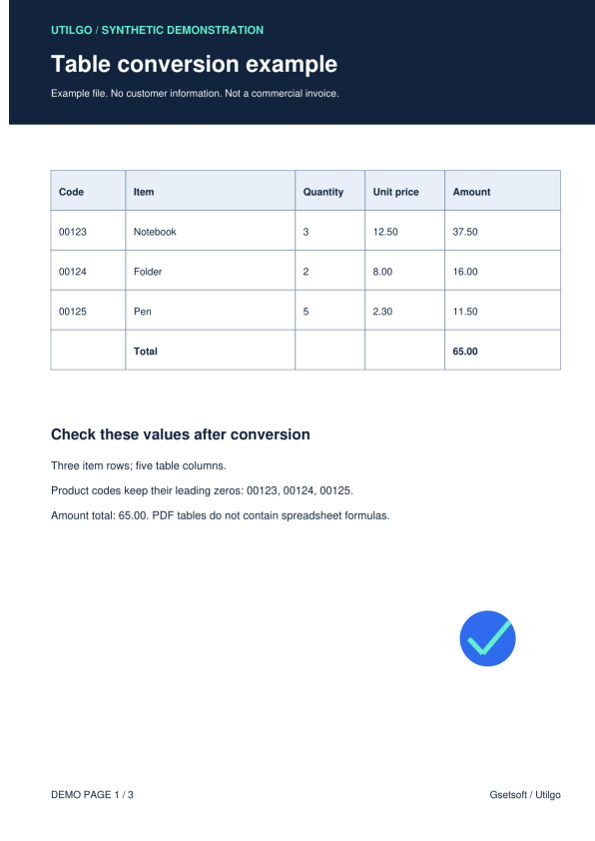
Our downloadable fictional example contains product code 00123 and total 65.00. The appearance-preserving output shows the complete page. In the editable output, the table can be selected, but the heading background and spacing may differ. One example is not a benchmark for every type of PDF.
Distinguish scans from text PDFs
Try selecting and copying a sentence. Documents made entirely of scanned pages are inserted into Word as images; this conversion does not itself perform OCR. If you need editable text, run OCR in the appropriate language first and check numbers carefully.
Check the document before sharing
Utilgo uploads the file to the server for this operation and processes up to 30 pages. Open the output and compare page count, cells, headings and images with the original. Keep signed PDFs: the Word output is not a copy that preserves the original PDF’s digital signature.
Try a real example file
This document was created for demonstration and contains no customer or employee data. Download the input and actual tool output to compare them.
Example checked on:
The editable example contains text and table elements, but its heading layout changed. Appearance mode embeds the page as an image with no separate text nodes. Compare both files for your purpose.
Editable Word
Settings used in this run
- Word mode
- Editable
Checks on this example
- Embedded images
- 1
- Checked code
- 00123
- Checked total
- 65.00
- Word table elements
- 4
- Rendered pages
- 1
Word preserving page appearance
Settings used in this run
- Word mode
- Preserve appearance
Checks on this example
- Embedded images
- 1
- Editable text nodes
- 0
- Rendered pages
- 1
Only the example below was verified. Other files may produce different layouts or results; keep the original.